Mandate Drift Inventory
A need existed once. The calendar entry never left.
One row per recurring commitment, ending in a column only you can fill.
Which recurring commitments still deserve to exist?
You bring a calendar export·1hr·any model·inventory
It ends in: keep, convert, kill, or unresolved, and the hours a year
Watch the two-minute walkthrough 2:16
A two-minute walkthrough: why standing commitments never stop on their own, the two questions, the verdict, and how to run the prompt in any model.
The decision it forces
Which recurring commitments still deserve to exist?
Not which meetings are boring. Which of the standing meetings, reports and syncs on the calendar would end on their own if their reason went away, and which will run forever because nobody set a way for them to stop. The inventory finds out, one row at a time.
To run it, copy the prompt below into any model you already use.
The two questions
Sam, on the episode, naming what the method is for:
it's not the big project that wears you down, it's the recurring drag of all these obligations, the standard meetings, the weekly reports, the sync that you inherit and that just keeps running forever, um, because somebody had a need one time, and now there's a calendar commitment that sucks time from me and my team.
The whole method, as delivered on the episode: open the calendar, look at the recurring events, and ask two questions of each one. What is its exit condition? Who checks it? If there's no exit condition, or the person who checks it isn't there, we're running a for loop, and it's for somebody else.
Note the or. Either empty column is enough. Sam's name for the forever kind, on the episode, is a for loop meeting: it runs a fixed count that was set once and never questioned, where a do loop rechecks its exit condition every pass and stops when the goal is met. A commitment with an exit condition nobody checks is a for loop with a comment in it.
The fields
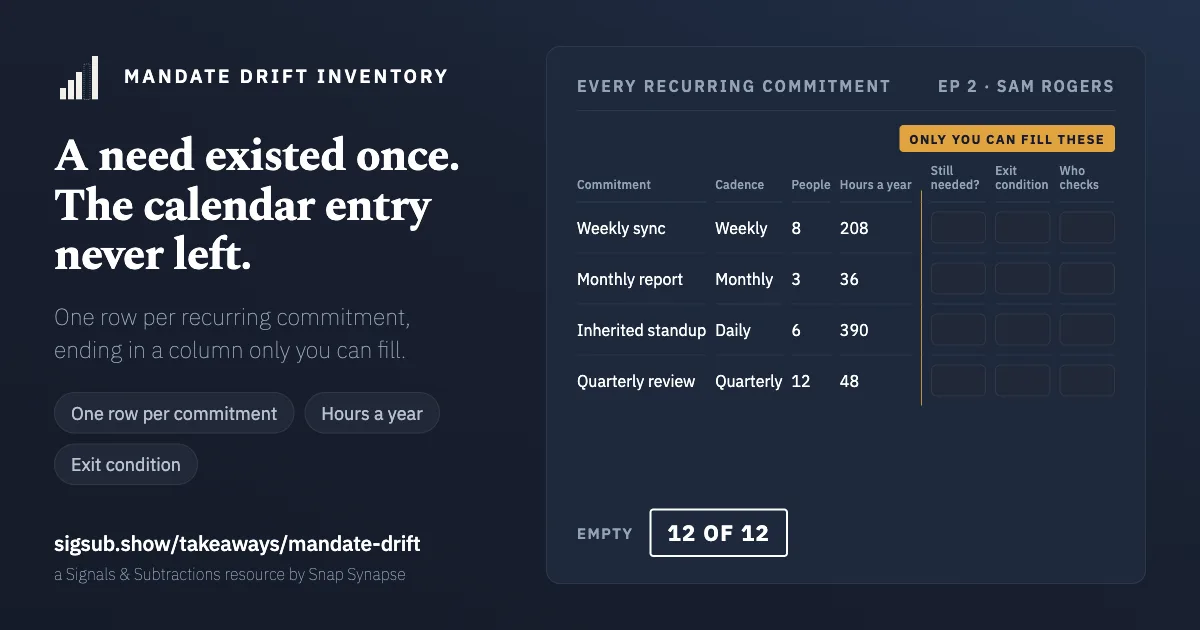
One row per recurring event. The left half is arithmetic; the right half is judgment.
| Field | What goes in it | Who fills it |
|---|---|---|
name |
What it is called on the calendar | machine |
cadence |
weekly, fortnightly, monthly, quarterly | machine |
attendees |
How many people are in it | machine |
annual_hours |
Attendees, times duration, times occurrences a year | machine |
who_assigned_it |
A person, or: nobody, it drifted | you |
original_need |
What it existed to solve, in one line | you |
need_still_live |
Whether that need still exists | you |
exit_condition |
What would end it. A date, a milestone, a state of the world | you |
who_checks |
The person who would notice the exit condition being met | you |
verdict |
keep, convert, kill, or unresolved | you |
annual_hours stays in hours. The episode puts no figure on what recurring meetings cost and this page does not either; the number on your inventory comes from your calendar and nowhere else. Hours are also harder to argue with than a dollar figure that rests on an assumed loaded rate.
who_assigned_it, original_need and need_still_live don't set the verdict; they're what we take into the conversation when a row is converted or killed. There's no worked example on this page: a filled inventory is one organisation's calendar, with names in it.
The verdict rule
exit_condition and who_checks are the load-bearing fields, and they are almost always empty. That is the finding rather than a gap in the method.
A commitment with no exit condition is not a commitment. It is a habit with a calendar entry. A who_checks that holds a role name rather than a person is a blank, the same rule Name the Human applies to its accountable column: a team cannot notice that a need has ended.
The count at the end is what to report. How many rows, how many hours a year, how many with no exit condition, how many converted to a do loop, how many killed.
Run it with any model
Nothing to install. If the model can read a calendar export it will enumerate the recurring events and do the hours arithmetic; if not, it will ask. Either way it may not touch the right half of the table.
Help me build a Mandate Drift Inventory: one row per recurring commitment on my
calendar, so I can see which ones still have a reason to exist.

The rule it tests, from the episode this comes from: for each recurring event,
what is its exit condition, and who checks it? If there is no exit condition, or
nobody is checking, it is a for loop, running on a count that was set once and
never questioned.

MODE
If I give you a calendar export or a pasted list, work in SCAN mode: enumerate
every recurring event, and for each one fill name, cadence, attendees, and
annual_hours as attendees times duration in hours times occurrences a year. Show
the arithmetic for each row. Do not include one-off events.
If I give you nothing, work in INTERVIEW mode: ask me to list my recurring
events, three at a time, and fill the same four fields from what I tell you.

FOR EACH ROW, THEN ASK ME, in this order
- who_assigned_it: a named person, or "nobody, it drifted". If I hesitate,
  record "nobody, it drifted".
- original_need: what it existed to solve, in one line. If I cannot say, record
  that I could not.
- need_still_live: yes, no, or I do not know.
- exit_condition: what would end it. A date, a milestone, or a state of the
  world. "When it stops being useful" is not an exit condition; say so once and
  record whatever I answer.
- who_checks: the person who would notice the exit condition being met. A team
  name or a role is a blank; tell me so and leave it null.

RULES YOU DO NOT BREAK
1. Never fill need_still_live, exit_condition or who_checks yourself, and never
   suggest candidates for them. Empty is the finding.
2. Never set a verdict. Leave every one as "unresolved". I decide what to keep,
   convert or kill.
3. Do not tell me a meeting sounds important or unimportant. You do not know,
   and the name on the calendar is not evidence.
4. Do not ask for attendee names. A count is enough.
5. If I answer with a dollar figure for a row, record hours instead and tell me
   why: hours are observed, dollars rest on an assumed rate.

OUTPUT
Valid JSON matching the schema mandate-drift/v0.1 as published at
https://sigsub.show/takeaways/mandate-drift/#the-answer-format, with totals for
rows reviewed, annual hours, rows with no exit condition, rows with no checker,
and zeros for converted and killed. If you can't read that page, use these keys,
in this order: schema; commitments, a list, each with name, cadence, attendees,
annual_hours, who_assigned_it, original_need, need_still_live, exit_condition,
who_checks and verdict; totals, with reviewed, annual_hours, no_exit_condition,
no_checker, converted and killed. Then the same as a table sorted by
annual_hours descending, with the two human columns left visibly empty where
they are empty. Then the shortest list you can of the rows I should look at
first, ordered by annual hours among those with no exit condition, and say why
each one is on it.
What to check in the answer
It may read the calendar, count attendees, and multiply. The annual hours number is the one nobody has, and it is the part of this page that a script does better than a person.
It may never fill need_still_live, exit_condition or who_checks, and it may never propose a verdict. Those are the columns that make the inventory mean something, and a model can fill them plausibly for every row, which is precisely the problem.
The part that's not optional
Recheck it at the end of the quarter, which is what the episode actually describes doing: not out of laziness, Sam says, but because it's too easy to optimise for the wrong loop type, so he stops, removes or converts, and does it as a regular practice.
Then, for any row with a verdict of kill, do it without announcing it, and see what breaks. On the episode nobody said anything. That silence is the last column, and only a calendar with an entry removed from it can fill it in.
For builders
The answer format
{
  "schema": "mandate-drift/v0.1",
  "commitments": [
    {
      "name": "what it is called on the calendar",
      "cadence": "weekly | fortnightly | monthly | quarterly",
      "attendees": 0,
      "annual_hours": 0,
      "who_assigned_it": "a person, or: nobody, it drifted",
      "original_need": "what it existed to solve",
      "need_still_live": null,
      "exit_condition": null,
      "who_checks": null,
      "verdict": "unresolved"
    }
  ],
  "totals": {
    "reviewed": 0,
    "annual_hours": 0,
    "no_exit_condition": 0,
    "no_checker": 0,
    "converted": 0,
    "killed": 0
  }
}
Got an answer back from the prompt? Read it against this schema. It runs in your browser and sends nothing.
Report back
Ran this? Tell us what happened. What broke and what you changed are the useful parts, because that's how the next version gets better.
Or write to hey@sigsub.show with Takeaway: mandate-drift as the subject. It's a plain email: no form, no account, nothing tracked. Nothing you send appears here unless you say yes, and you choose how you're named.
Rather talk it through in public? Comment on the Sunday issue on Substack, the same issue on LinkedIn or the episode on YouTube. Those threads live on their platforms, under their rules; nothing from them runs on this page.
Keep the next choice in view
One signal, one subtraction and one analogy every Sunday. Five minutes, no video required.
Optional. Free on Substack, no account needed. Already on LinkedIn? Subscribe there.